Available on Android

Nine Lives Audiobook Player

The shelf outlives the store.

A calmer Android player for audiobooks you control, whether they live in local folders or on your own Audiobookshelf server.

Nine Lives home screen with a grid of recently played audiobooks
Your books are the main event.
Android
Works offline
No ads

Start where your books already are

Two doors to the same shelf

Nine Lives does not make you build infrastructure just to press play. Pick the path that fits your collection now. You can change later.

Local folders

Choose folders through Android's system picker. Nine Lives reads the audio, cover art, chapters, and metadata on your device, then turns them into a real library. No account or server required.

  • Plays without internet
  • Progress and bookmarks stay local
  • Remove folder access whenever you want

Your Audiobookshelf server

Connect the server you run. Browse its libraries, stream at home or away, download books before a trip, and keep listening progress moving between your clients.

  • Direct connection to your server
  • Offline downloads for server books
  • Progress queues until you reconnect

Free to start, yours to keep

Free player. One optional unlock.

The player is free and stays free. One unlock, bought once, adds the extras for people who listen hard enough to want them. No subscription, no ads, and fourteen days with everything open if you want to find out which camp you are in first.

Google Play shows the current unlock price for your region, so this page never freezes an old price into the marketing.

Real app, real screens

A shelf you can see working

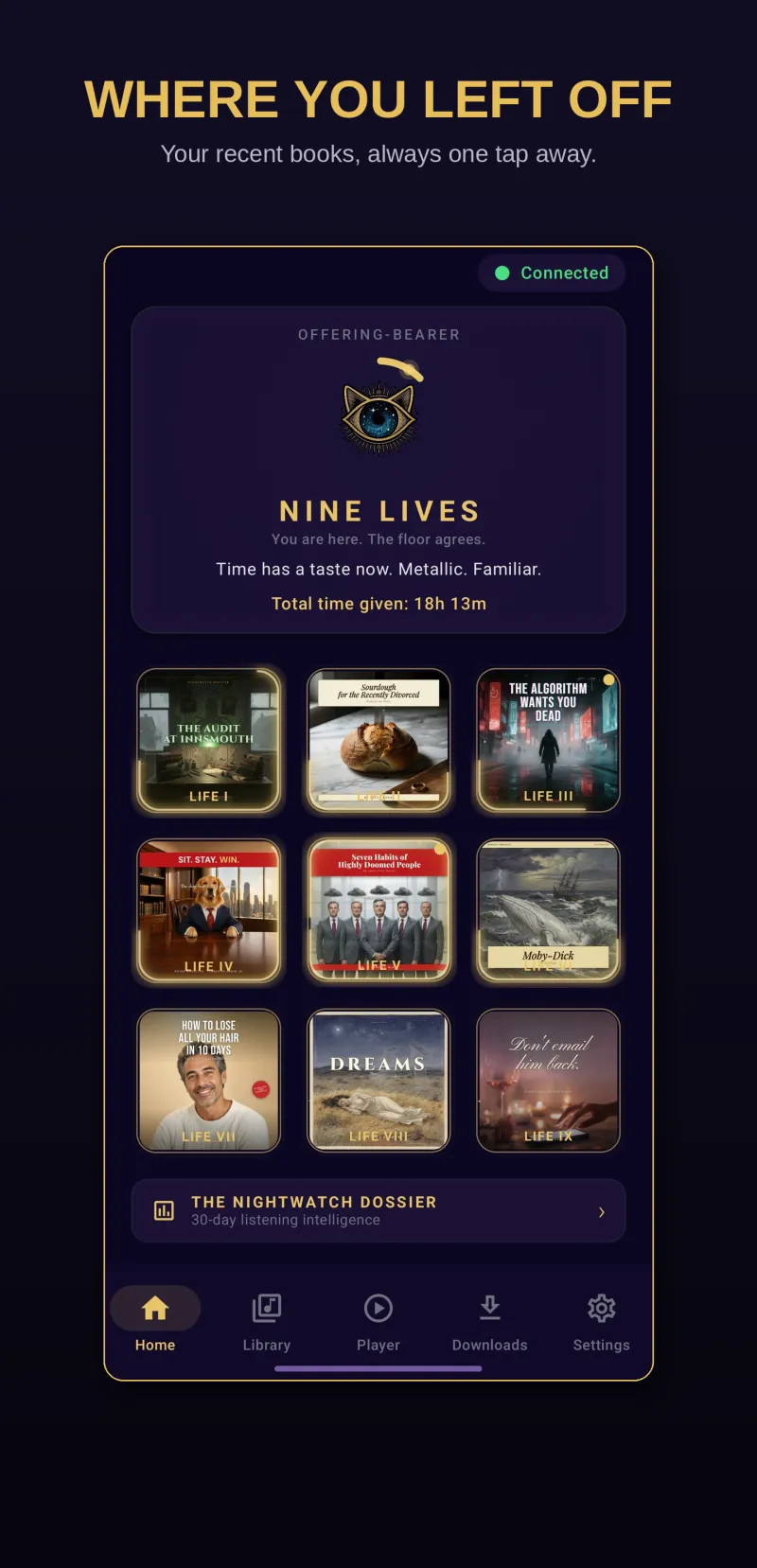
Nine Lives home screen showing nine recent audiobooks and listening progress
Return to the books already in motion.
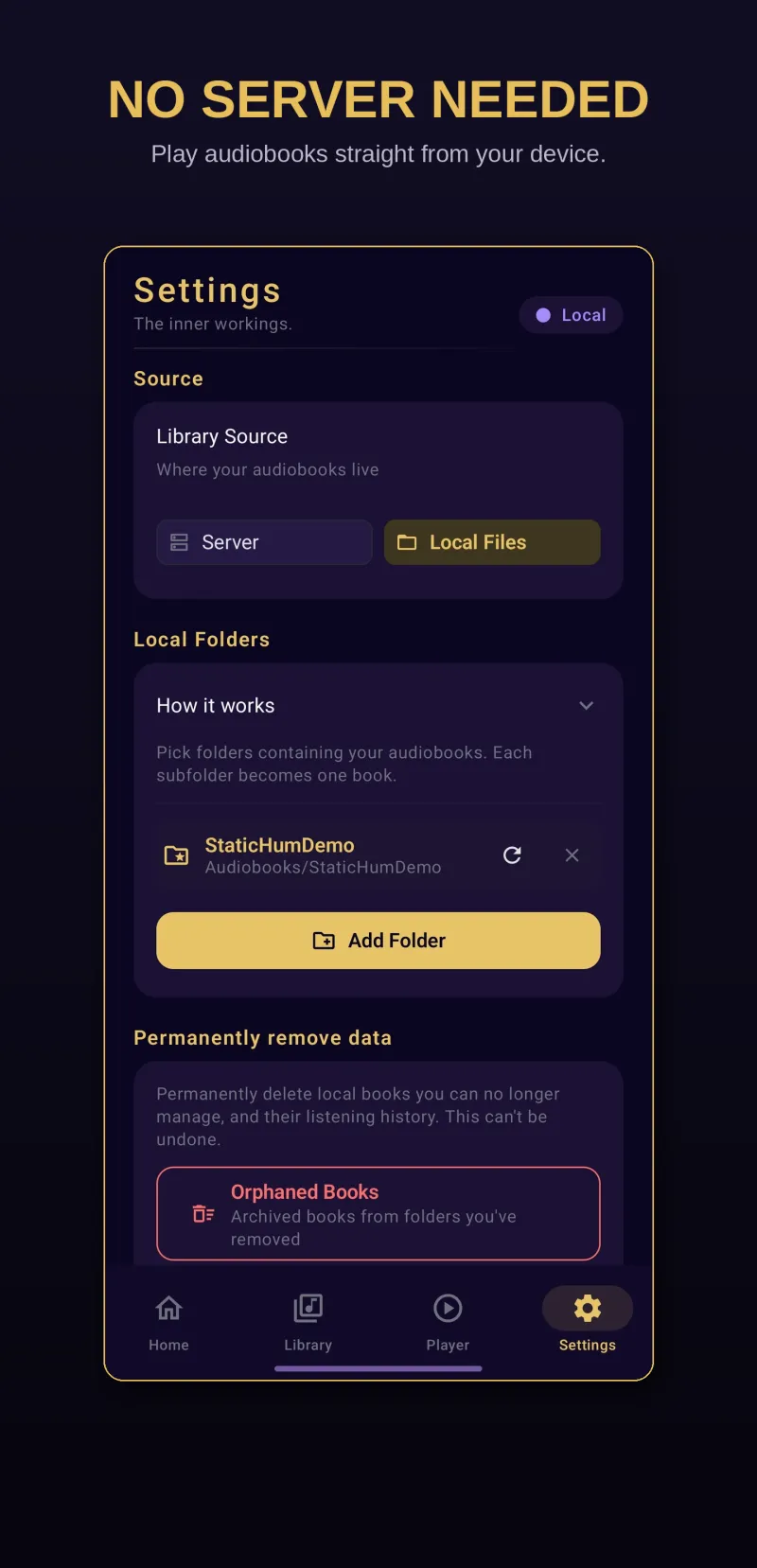
Nine Lives local library setup for choosing audiobook folders on Android
Point the app at local folders without building a server.
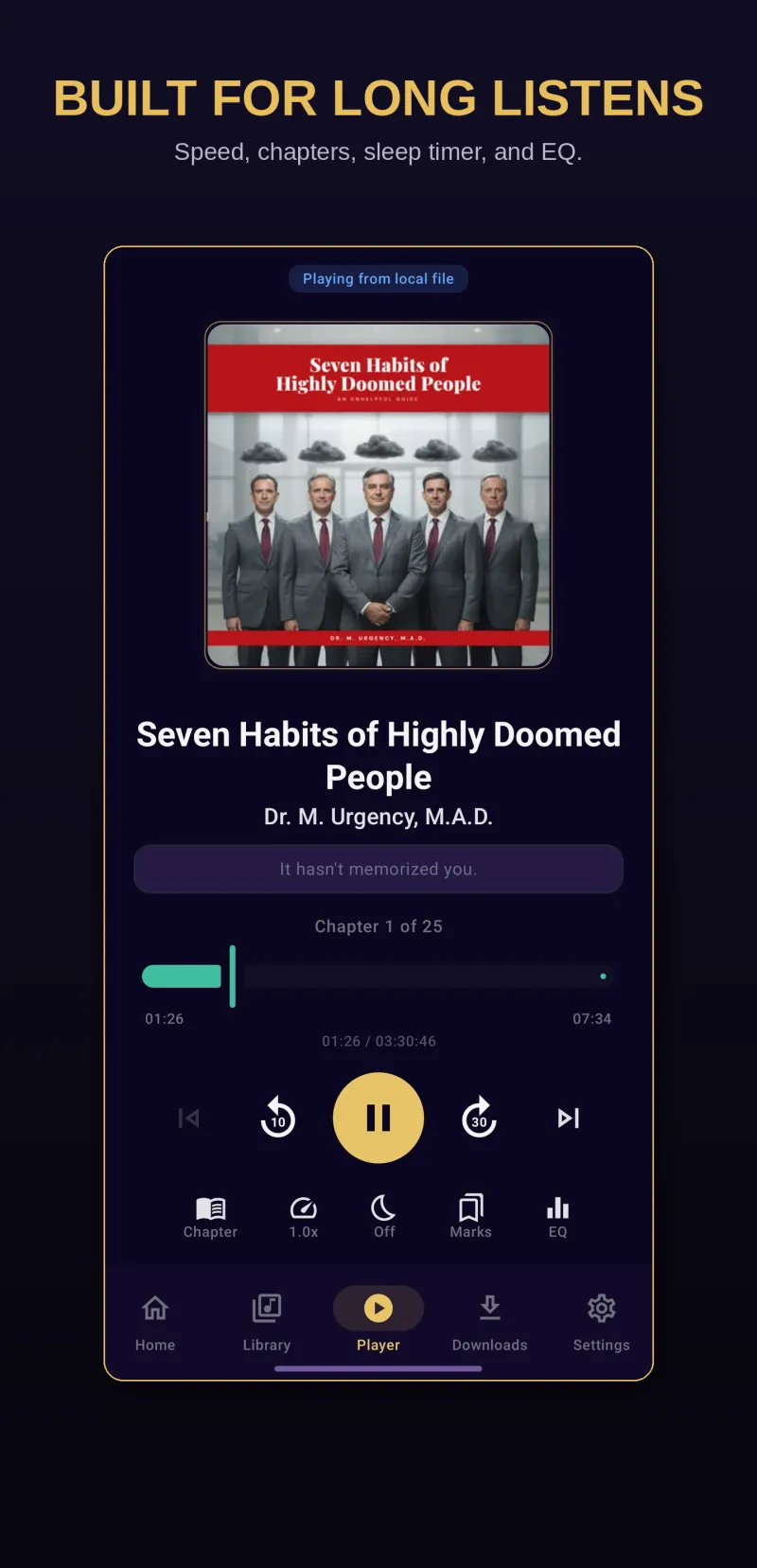
Nine Lives playback screen with cover art, chapter progress, and controls
Keep chapters, progress, speed, and sleep controls close.

Built around the long listen

The details that stop being small after chapter twelve

Playback that survives the pocket

Background audio, lock screen controls, media notifications, chapter navigation, and Android Auto keep the book moving after the app leaves the screen.

A sleep timer with a little patience

Set a countdown, add auto rewind, or let motion extend the timer when you are still awake. The controls are there when you need them and quiet when you do not.

Your place is treated as durable

Local progress is saved on the device. Server progress uses an offline queue when the connection drops, then catches up when your Audiobookshelf server returns.

Silence skipping

The long gaps between chapters, and the dead air some recordings carry, get stepped over instead of waited out.

The Nightwatch Dossier

Hours listened, what you finished, which narrators you keep coming back to. Thirty days of it are free, rendered as a share card if you want one. It is computed on your device out of your own history, and it goes nowhere unless you send it.

The Archive Shelf remembers

Remove a local folder and the book does not vanish. Its cover and your history are kept, so the record of what you listened to survives a reorganised drive.

Your listening is not a lead

No tracking layer hiding behind the player

Nine Lives does not collect analytics or listening habits. Local libraries stay on the device. Optional crash and feedback reports open in your email client first, so nothing is sent unless you send it.

Read the privacy policy

Before you move the shelf

Questions worth answering plainly

Can I install Nine Lives right now?

Yes. Nine Lives is free on Google Play for Android 11 and newer. If you want new builds before everyone else, there is also an internal test you join by email.

Get it on Google Play

Do I need an Audiobookshelf server?

No. Choose local folders on your Android device and Nine Lives builds a library from those files. Audiobookshelf is an optional second path for people who run their own server.

Does Nine Lives work offline?

Yes. Local files already live on your device. In Audiobookshelf mode, books you download in advance keep playing when the server or internet is unavailable.

What does Nine Lives cost?

It is free to install and free to keep using. One optional unlock, bought once, opens the extras. There is no subscription and no ads, and Google Play shows the current unlock price for your region.

What do I get without paying?

A whole player, not a demo. Local folders, your Audiobookshelf server, offline downloading one book at a time, chapter navigation, Android Auto, a thirty minute sleep timer, all eleven sorting options, two themes, and the last thirty days of your listening stats with a share card. The unlock adds the other playback speeds, downloading more than one book at once, the rest of the sleep timer including shake to reset, auto rewind, an equalizer with volume boost, silence skipping, two more themes, grouping by series or author or genre, browsing and restoring the Archive Shelf by hand, and listening stats going further back.

Can I try the paid features first?

Yes. Everything opens for fourteen days, once, without asking for payment. When it ends the app keeps working, it just returns to the free set.

Where does my listening data go?

Local library data stays on your device. In Audiobookshelf mode, library and progress traffic goes between Nine Lives and the server you configured. Static Hum Studio does not run a Nine Lives sync server.
Ready when you are

Your shelf is one install away.

Nine Lives is free on Google Play. Windows has a public release too, and the source is open for anyone who wants to see how the thing is built.